Your Mac.
Tidy and clear.
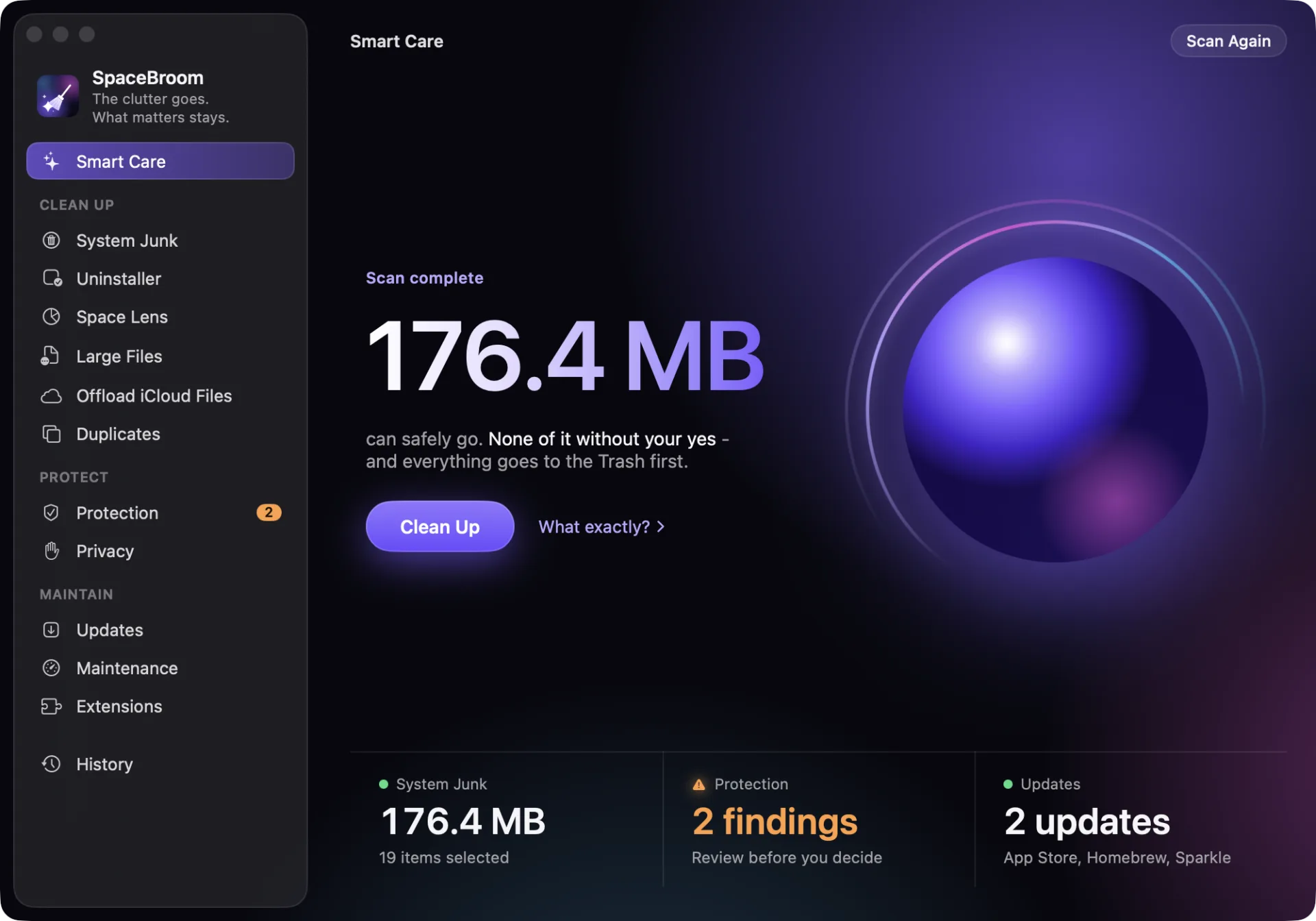
Clean up, protect, maintain.
SpaceBroom finds system junk, large files, duplicates and suspicious launch items. Only what you confirm is removed.
Apple automatically checked this version for malicious software and code-signing problems. It is signed by DIGITALPASSION Ltd. On first launch, macOS recognizes from this that Apple has checked it.
One scan. Three checks.
One after another.
- System junkCaches, logs and build data that apps recreate when they need them.
- ProtectionApps, launch items, Downloads and Desktop, checked with Apple's malware rules.
- UpdatesThe App Store, Homebrew and the built-in updaters of your apps.
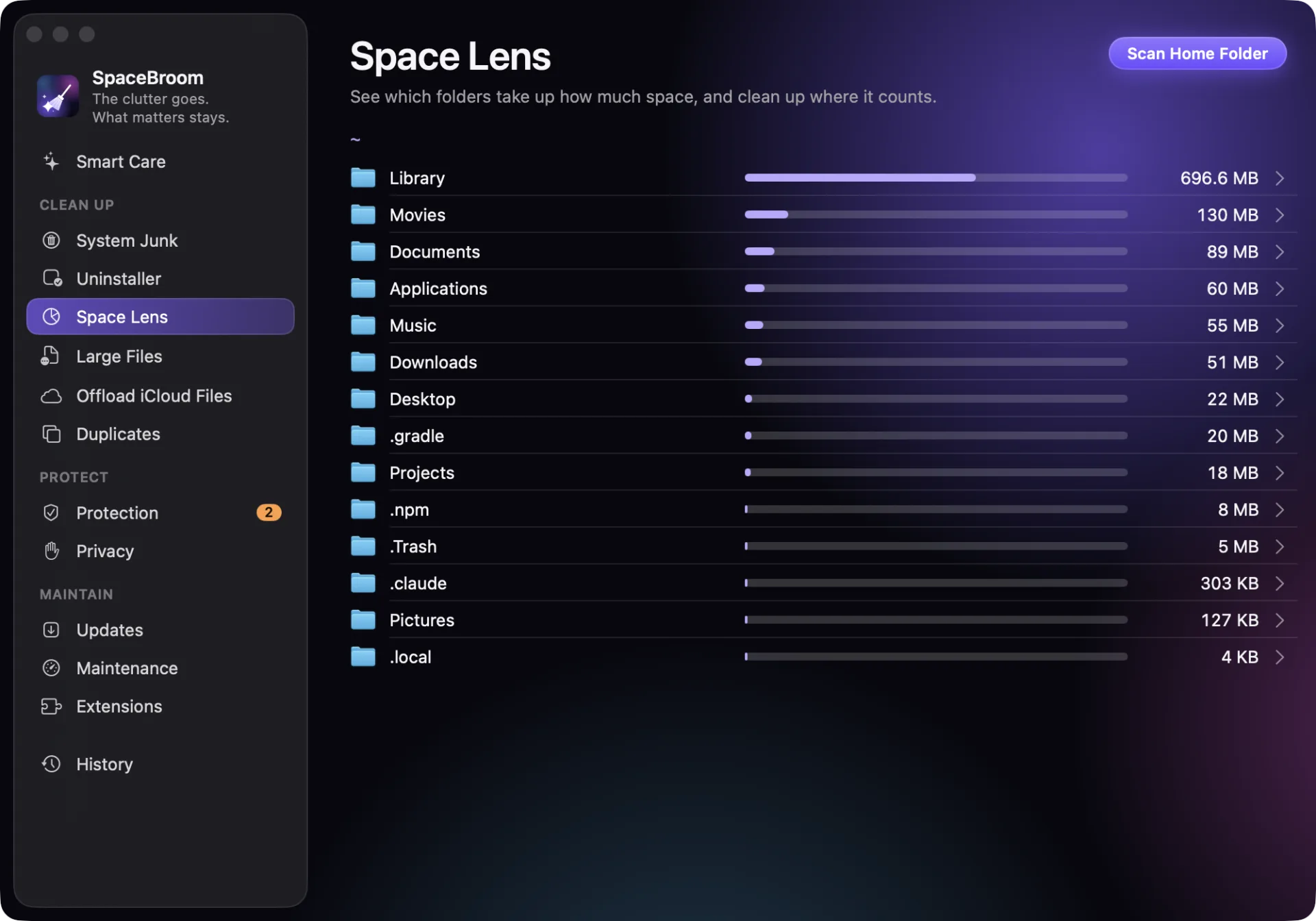
Space Lens
See where your storage really goes.
Every folder shows its size and a bar for its share, the largest first. A double-click goes deeper, and the context menu moves what you don't need to the Trash once you confirm.
Everything a Mac needs to tidy up.
System junk that apps recreate. Uninstaller with settings and leftovers. Large and old files, nothing preselected. Updates from three sources. Maintenance, Extensions, Privacy, Offload iCloud files and the menu bar at a glance. And for developers: Xcode, node_modules, Docker, Homebrew.
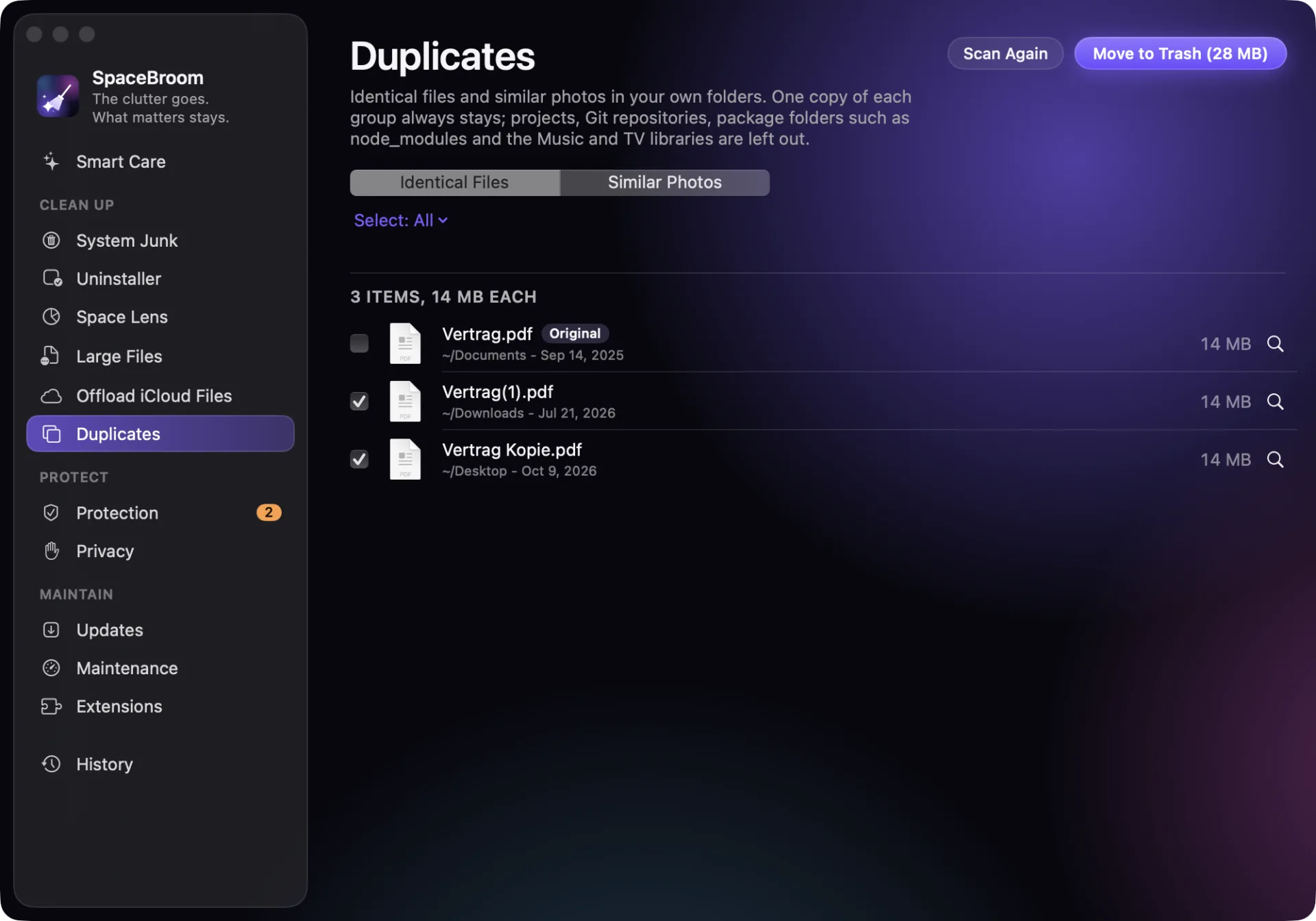
Duplicates. One copy always stays.
One copy of every group always stays. Projects, Git repositories and packages are left alone.
SpaceBroom
The clutter goes. What matters stays.
Safety
Nothing happens without your click.
The Trash, not deletion.
While a file is still in the Trash, its folder still exists and its place is free, you can put it back from the history. Anything permanent, the app tells you first.
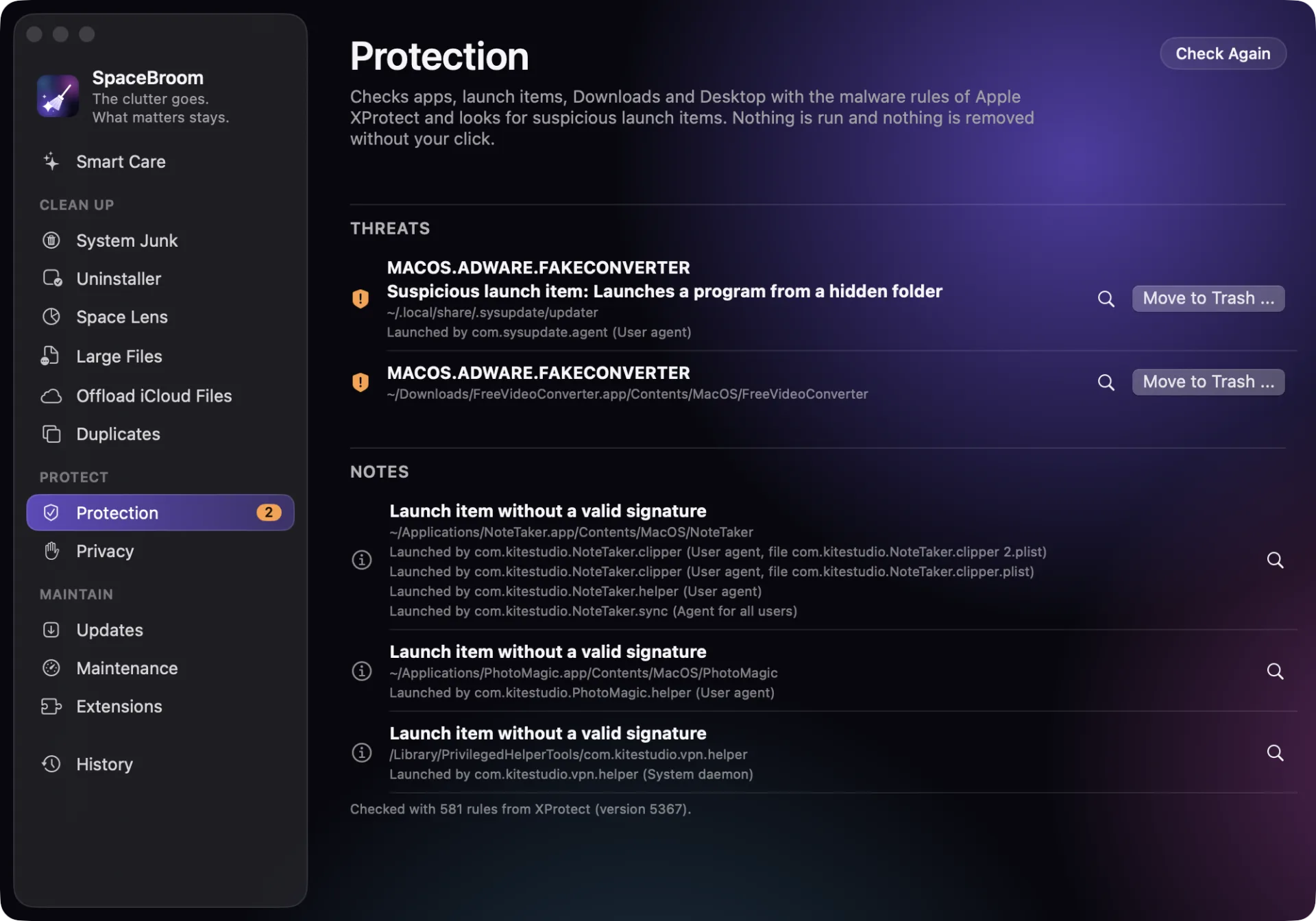
Look first, then decide. Every action says what it will do and waits for your confirmation.
Protection with Apple's rules. Apps, launch items, Downloads and Desktop are checked with the malware rules Apple ships with macOS (XProtect). Whatever could not be checked, the app names.
Try before you buy. Scanning is free without a license. Once per Mac, you can use every feature for 7 days, with no account and no payment.
No account, no tracking. The app goes online only to ask for updates of itself and your apps and whether your license is still valid.
Choose how you pay.
€35
/ year
Equals €2.92 a month - 2 months free.
Minimum term one year; after that it continues and can be cancelled at any time with one month's notice. One licence for one Mac, every feature with no tiers. Prices incl. VAT. Secure payment through Stripe.
€3.50
/ month
Cancel any month.
The subscription renews every month until you cancel. One licence for one Mac, every feature with no tiers. Prices incl. VAT. Secure payment through Stripe.
€99
one-time
Pay once, use it for good. All version 1 updates included.
No subscription, no renewal. One licence for one Mac, every feature with no tiers. Prices incl. VAT. Secure payment through Stripe.
Apple automatically checked this version for malicious software and code-signing problems. It is signed by DIGITALPASSION Ltd. On first launch, macOS recognizes from this that Apple has checked it.
30 days money back. If SpaceBroom is not for you, write to us at support@spacebroom.app. You get the full amount back, no questions asked - for a one-time purchase and the first payment of a subscription.
Subscriptions renew automatically until you cancel. Payment is handled by Link, Stripe's checkout service. Our terms and the withdrawal notice apply (in German), with a 14-day right of withdrawal.
Questions and answers
Can SpaceBroom break anything?
SpaceBroom removes only what you confirm and puts your files in the Trash. It never offers photo libraries for deletion, and duplicates and similar photos leave projects, Git repositories, packages and the Music and TV libraries alone. Only what the dialog explicitly calls permanent is permanent, such as files in system folders, for which macOS asks for your password, or emptying the Trash.
Can I try SpaceBroom before buying?
Yes. Scanning and reviewing are free without a license. In the license window you start a trial once per Mac: for 7 days every feature is free, cleaning included, with no account and no payment. After that the app keeps scanning; to clean up you need a license.
Does SpaceBroom replace an antivirus app?
No. SpaceBroom checks with the malware rules Apple ships with macOS and detects suspicious launch items. It offers no real-time protection; macOS itself does that with XProtect.
Why does the app need Full Disk Access?
Without it, macOS keeps some folders closed, such as Mail or Safari. SpaceBroom works without it too, but then tells you which areas it could not check.
Which Macs does SpaceBroom run on?
On macOS 14 Sonoma or later. One licence covers one Mac.
How do I get my money back?
Write within 30 days of your purchase to support@spacebroom.app. You get the full amount back. This applies to a one-time purchase and the first payment of a subscription; you can cancel a monthly subscription at any time for the end of the month, a yearly one for the end of its first year and after that at any time with one month's notice.
How do I cancel a subscription?
Without logging in, through "Cancel contracts here" at the bottom of every page: enter the email address you bought with. A monthly subscription ends with the paid month, a yearly one at the end of its first year and after that one month after the cancellation is received; we refund the paid time after that pro rata by the day. SpaceBroom stays activated until then, and nothing is charged afterwards. We confirm its receipt by email right away.
The best time to tidy up is now.
Scanning costs nothing. Nothing is cleaned until you say so.
Apple automatically checked this version for malicious software and code-signing problems. It is signed by DIGITALPASSION Ltd. On first launch, macOS recognizes from this that Apple has checked it.